Justin Bieber - Daisies
Justin Bieber needs little introduction — the Canadian artist who became a global household name as a teenager with "Baby" has spent over a decade reinventing himself, gradually moving away from polished radio pop toward more adventurous, producer-driven territory. With Swag (2025), his seventh studio album and first full-length in four years, Bieber fully embraced that shift, trading arena-ready gloss for an intimate, guitar-forward sound rooted in the new wave of indie R&B.
Released in July 2025 through Def Jam, Swag was framed as Bieber's most personal record yet, shaped by his life as a husband and father. The album leans on a remarkable roster of producers — Dijon, Mk.gee, Carter Lang, Dylan Wiggins, Eddie Benjamin and Daniel Chetrit, among others — whose soulful, lo-fi guitar textures gave the project a warm, hazy, almost handmade identity that stood out sharply against mainstream pop.
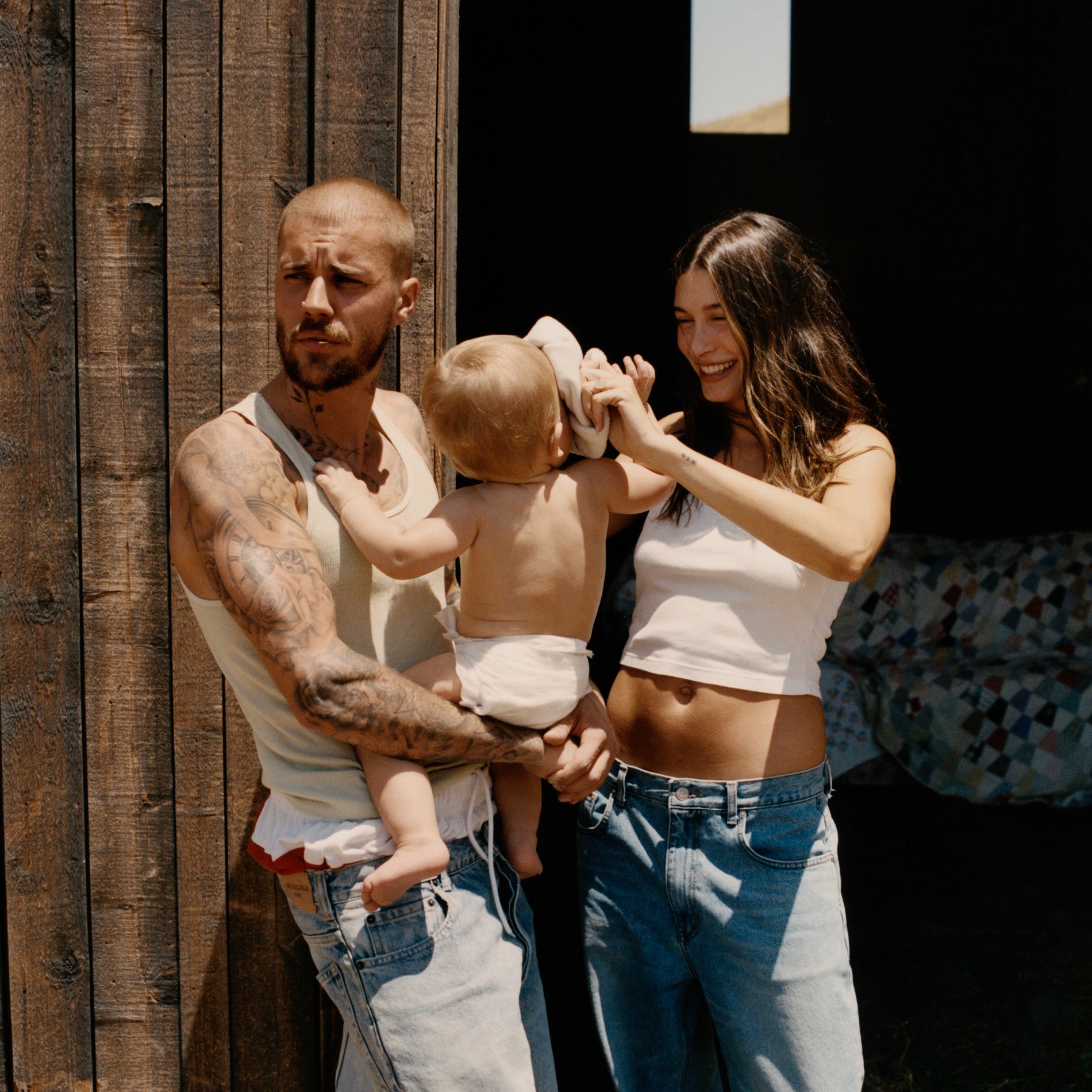
I am recreating "Daisies", the album's second track and lead single — a piece of melodic alt-pop built around Mk.gee-style guitar tones and Bieber's airy, reverb-soaked vocals. A breakout hit that debuted at number two on the Billboard Hot 100 and reached the top of the charts in several countries, the song wraps a simple, vulnerable love message in deceptively rich production. Curiously, the word "daisies" never actually appears in the lyrics — the title grows out of the opening line about throwing petals.
Watch my performance video below, and read further down for the steps to recreate each instrument!
JUSTIN BIEBER 'DAISIES' - GUITAR TONE
"Daisies" is fairly minimal and simple in terms of instrumentation — the main focus is Justin's incredible voice. That said, the guitar is wonderful, and it's played by Mk.gee (I covered another of his songs on this site — check it out here — I'm a big fan of his latest album).
Mk.gee plays guitar in an exceptional way, creating tons of dynamics in his tone. To recreate it, I used this preset from the Cory Wong Amp Simulator VST together with the ValhallaÜberMod chorus. Listen to the verse below:
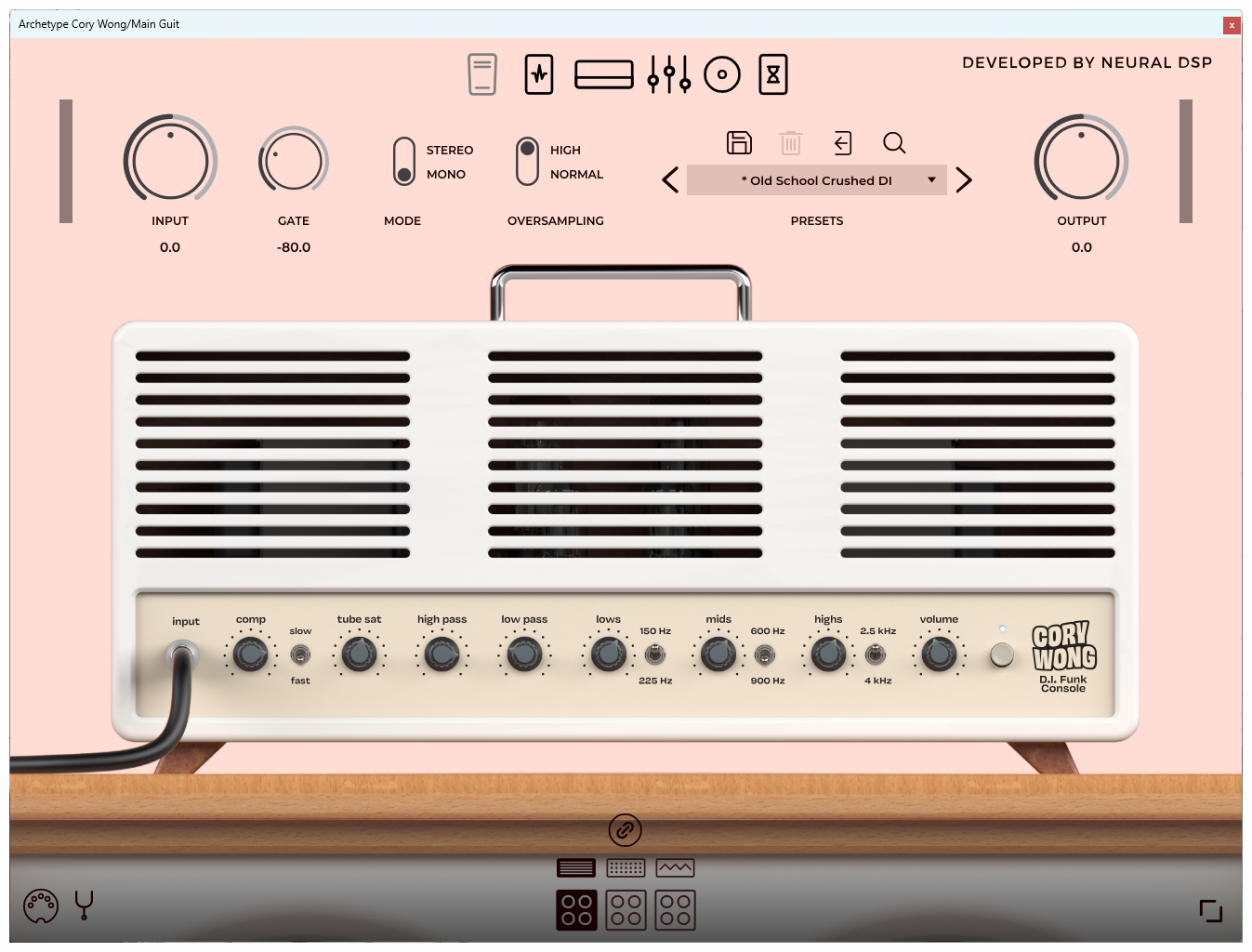
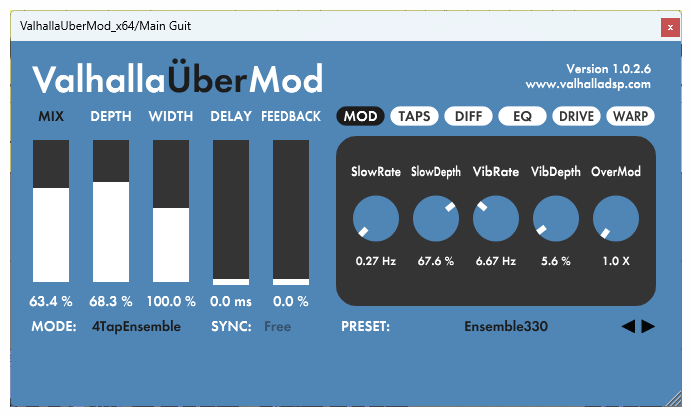
Justin Bieber 'Daisies' Guitar Tone
In the choruses, there's also a distorted guitar using this other preset:
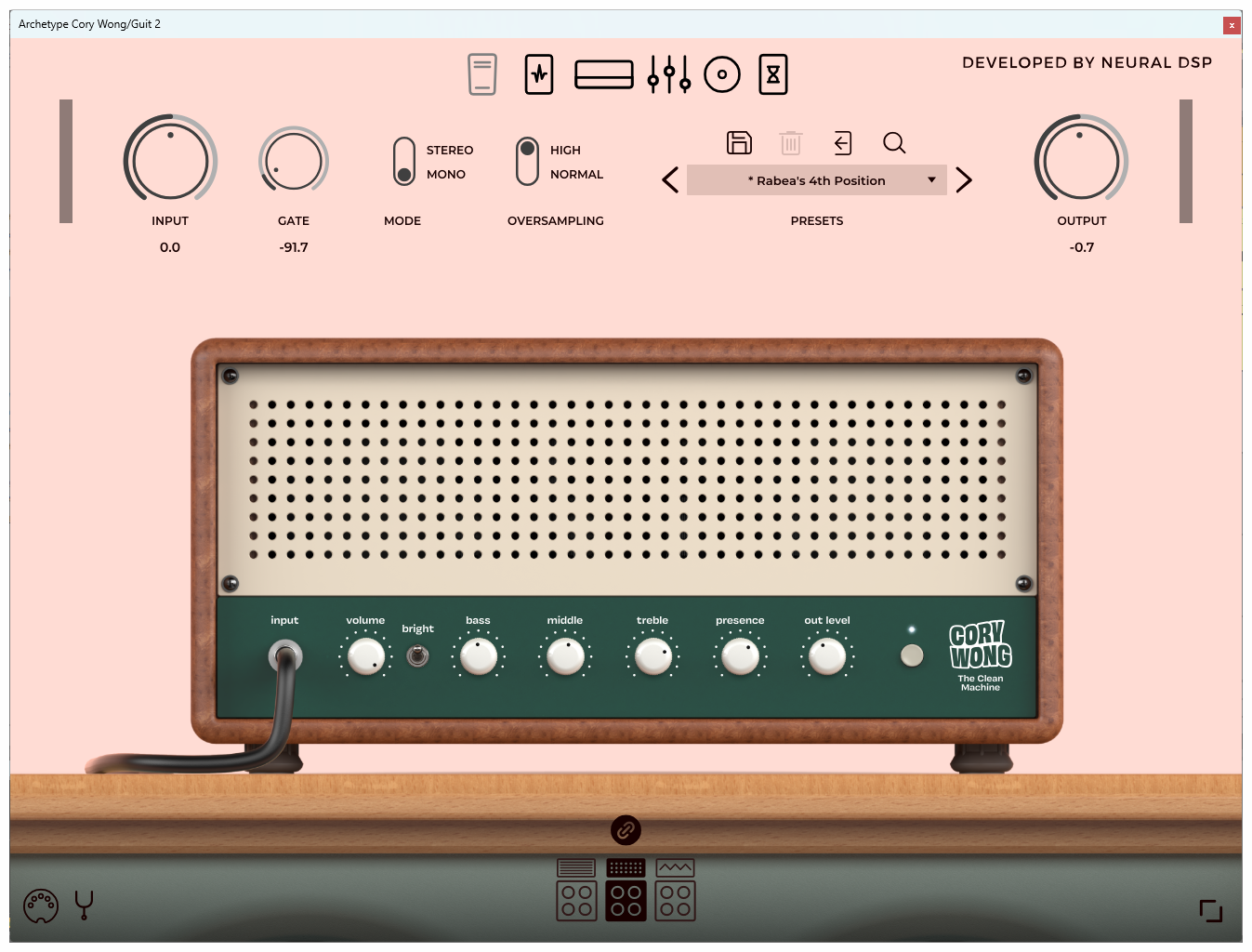
Justin Bieber 'Daisies' Chorus Distorted Guitar Tone
Finally, some small guitar harmonics — listen to them below, and then everything together:
Justin Bieber 'Daisies' Harmonics
Justin Bieber 'Daisies' Guitar Tone
Remember you can download the full guitar tab and the Ableton project with these presets on my Patreon, while supporting my work!
JUSTIN BIEBER - VOCAL PRODUCTION
Justin's voice is the real heart of "Daisies" — soft, breathy and drenched in reverb, it sits right up front and carries the entire track. He layers subtle harmonies and doubles, especially in the choruses, giving the song that wide, dreamy and intimate feel.
To recreate the vocals, I used my usual vocal effects chain. If you want to dive deeper, I recommend my latest video all about vocal production!

Listen to the verse:
Justin Bieber 'Daisies' Verse Vocals
I added some reverb on the bridge. Listen to this part:
Justin Bieber 'Daisies' Reverb Vocals
'DAISIES' DRUMS SAMPLES
As a final extra, I used a drum sample from "Daisies" itself. Listen to it below — and if you'd like to grab the drum kit to sample it yourself, you can download it from my Patreon!
Justin Bieber 'Daisies' Guitar Tone
And that's everything! "Daisies" shows how much you can achieve with very few elements when the tone and the vocal are this good. I hope you enjoyed this breakdown — feel free to drop your feedback or any questions in the YouTube comments. Thanks for the support, and see you in the next one!
If you liked it, or if you want to download the Ableton Project with the plugins used and all the tracks & MIDI files in one click, check out my Patreon page!
 thanks for reading!
If you liked it, or if you want to download the Ableton Projects with the plugins used and all the tracks & midi files by one click, check out my Patreon page!


